Jupyter Workspaces
Role
UX Research, UI Design
Project Duration
2022 - Present
End Users
Experimental Biologists, Computational Biologists, Technologists, Educators & Students
Removing Barriers Between Data Access and Analysis
Researchers needed an easy way to analyze single-cell and spatial datasets, but previously had to manage local Python/R environments, install dependencies, and secure their own compute resources.
I led the design of workspaces by defining the end-to-end workflows and analysis entry points, while working closely with engineering to navigate constraints across compute, containers, and library support.
The result is a browser-based analysis system that lets researchers launch Python or R, run common workflows, and process large datasets immediately with no setup, installation, or infrastructure required.
Researchers struggled with:
Insufficient local hardware to process large datasets at scale.
Time lost setting up environments instead of running analyses.
Lack of a reproducible, standardized analysis environment across users or labs.
Core Challenge
How do we create an integrated analysis environment that lets researchers run workflows reproducibly, and without relying on local compute or technical setup?
Key Features Designed
Python and R Support
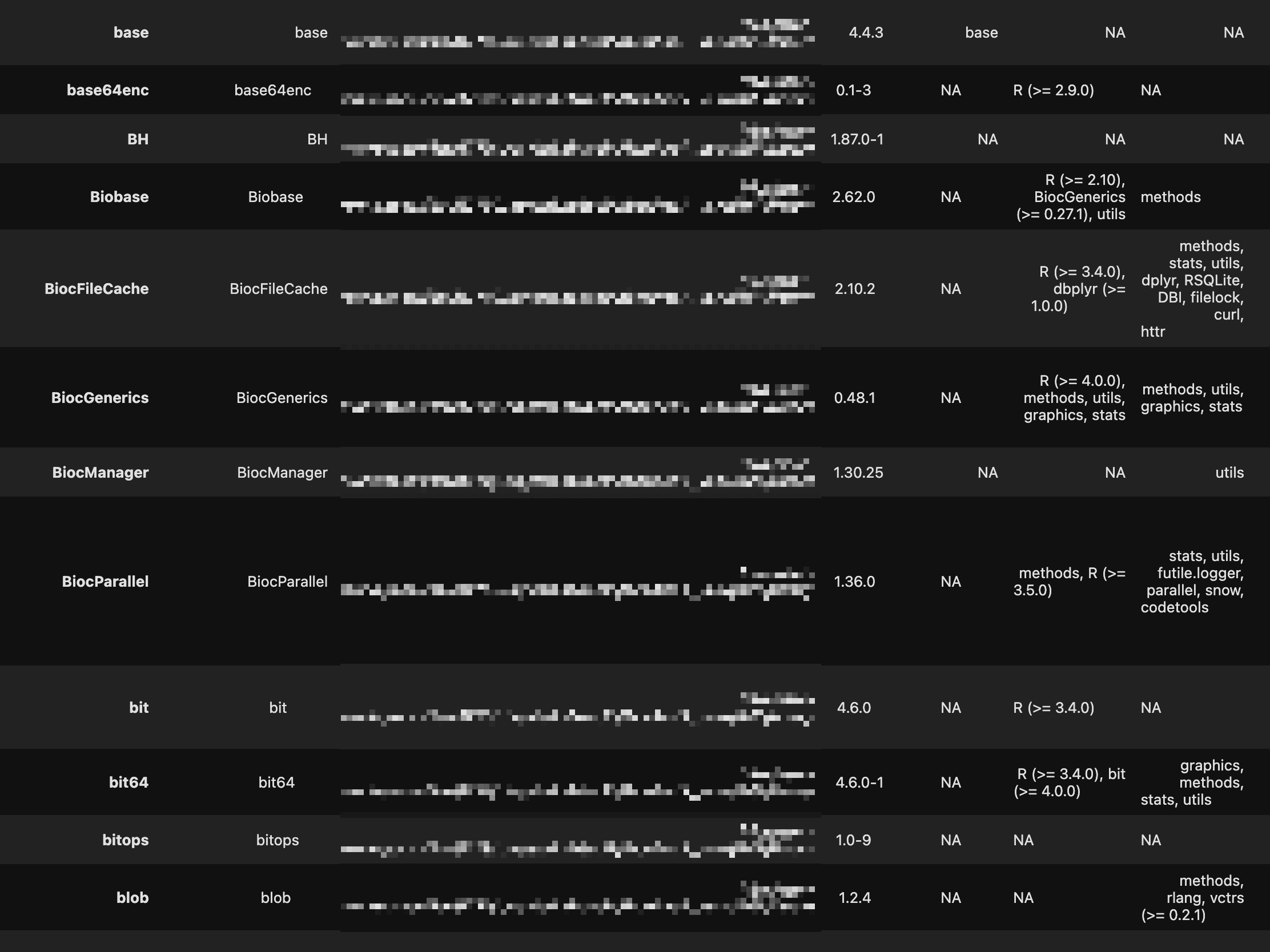
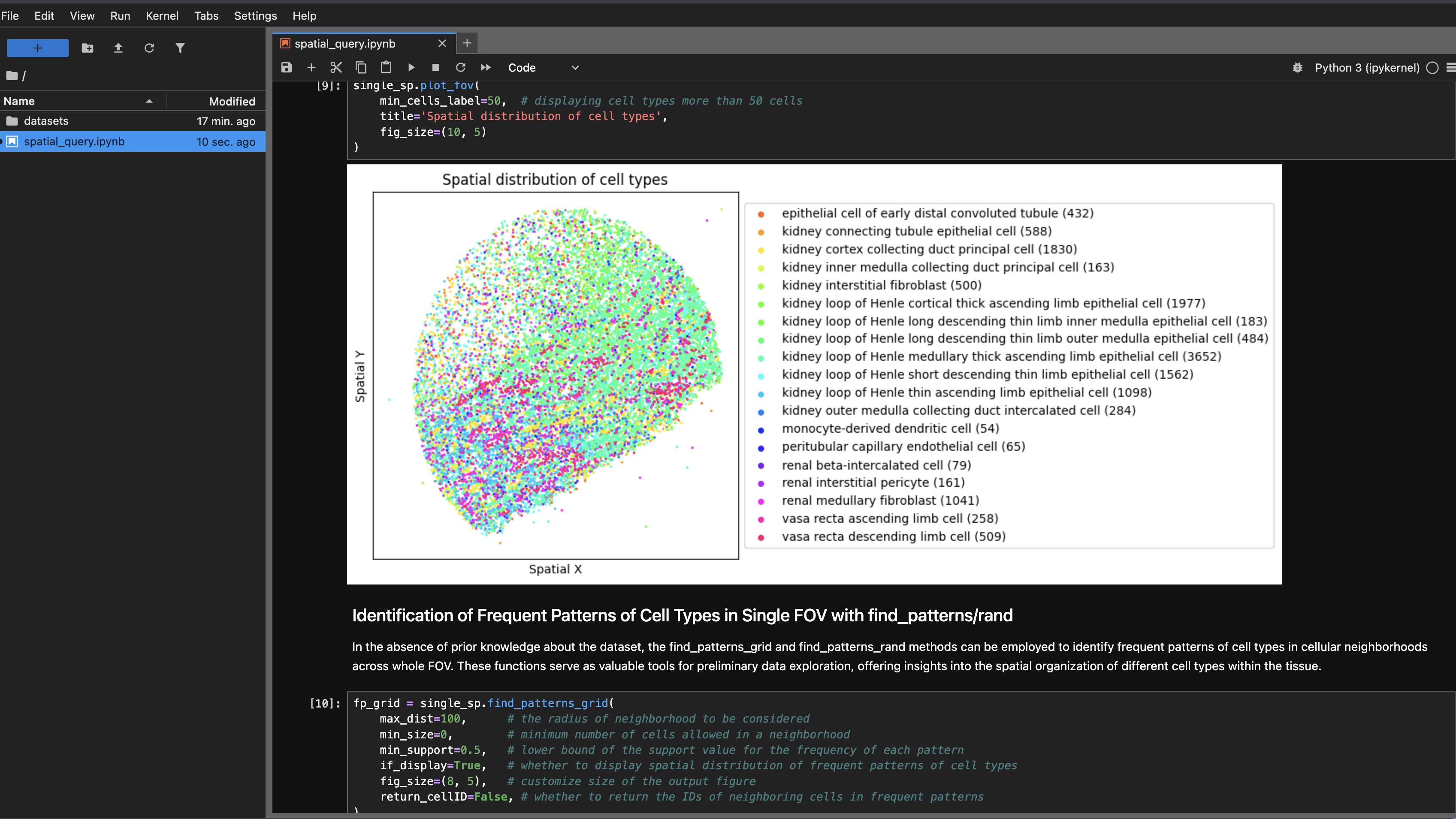
Python and R environments with popular single-cell and spatial analysis libraries pre-installed (scanpy, Seurat, Bioconductor). No local setup or dependency management required.
Pre-configured Templates
Pre-configured workspace templates for common analysis workflows, single-cell clustering, differential expression, spatial analysis, allowing researchers to start analyzing immediately.
Compute Resources
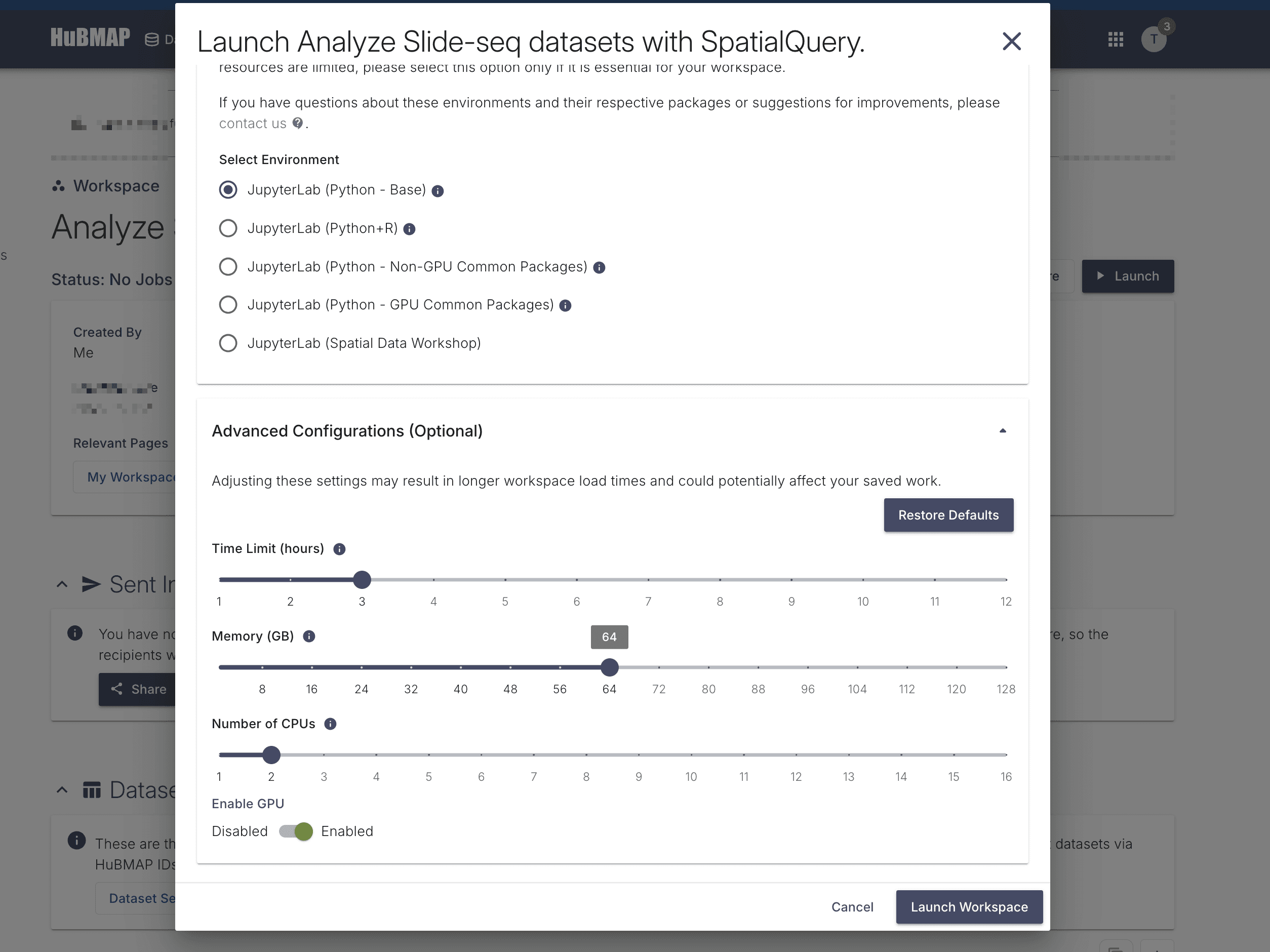
Cloud-based compute resources with GPU acceleration for memory-intensive analyses. Researchers can process large datasets without local hardware constraints or infrastructure management.